Web Hosting vs WordPress Hosting vs VPS: Which One Should You Choose?
Compare web hosting, WordPress hosting, WooCommerce hosting, VPS, and managed VPS by workload, control, maintenance, and growth needs.
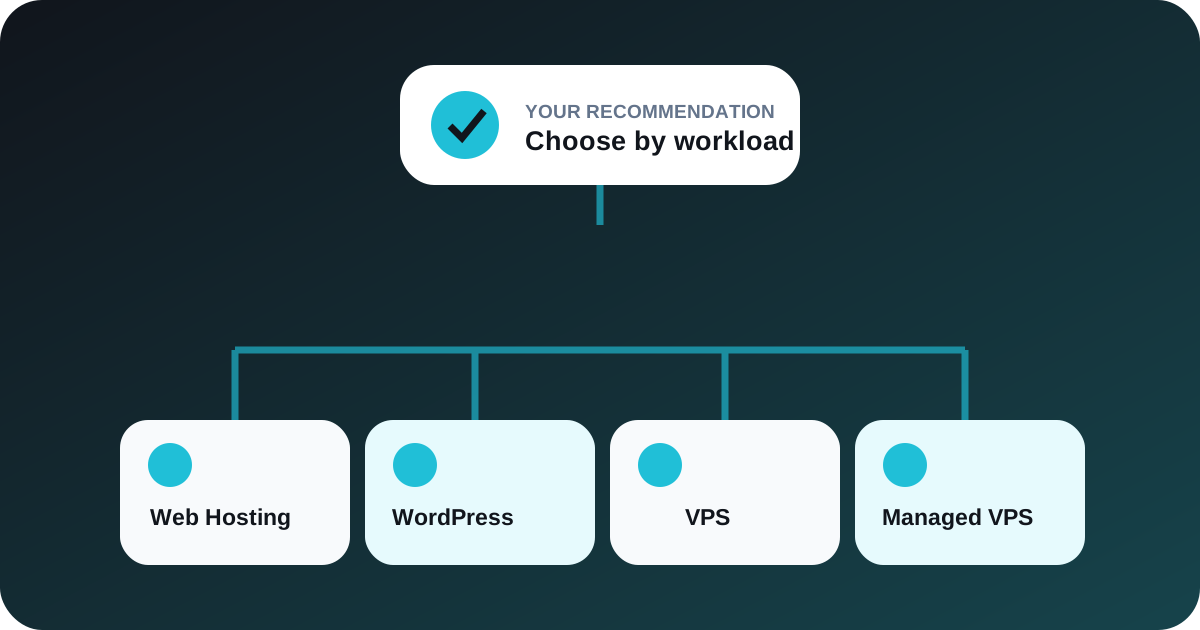
Table of contents
Introduction
The right hosting choice depends on software, traffic patterns, resource demand, technical control, and who will maintain the environment. Buying more server than a project needs wastes budget; buying too little can make routine growth difficult. Use the HostKart Hosting Plan Recommender as a starting point.
Why choosing the right hosting matters
Hosting affects page delivery, database response, update workflows, security responsibility, scaling, and recovery. It also determines whether the site owner or provider manages the operating system and core services.
What is web hosting?
Web hosting places multiple customer accounts on managed shared infrastructure with per-account limits. It is practical for business websites, portfolios, landing pages, and applications that fit the supported stack and do not need root control.
What is WordPress hosting?
WordPress hosting focuses on WordPress installation, PHP, databases, caching, backups, and common operational tasks. It suits site owners who want the CMS without managing a complete server.
What is WooCommerce hosting?
WooCommerce hosting is intended for WordPress stores, where catalogue queries, checkout, scheduled actions, admin usage, and integrations can create a different workload from an information site.
What is VPS hosting?
VPS hosting provides a virtual server with allocated resources and greater configuration control. It can support custom runtimes, background workers, APIs, automation, and multiple applications, but server administration becomes an explicit responsibility.
What is Managed VPS?
Managed VPS combines virtual-server capacity with an agreed management layer. Scope varies, so confirm what operating-system updates, monitoring, backups, security work, and application support are included.
Quick comparison
| Option | Typical fit | Control | Management effort |
|---|---|---|---|
| Web hosting | Business sites and standard apps | Panel level | Low |
| WordPress hosting | WordPress sites and publishers | Site and panel | Low to moderate |
| WooCommerce hosting | WordPress stores | Store, site, and panel | Moderate |
| VPS | Custom and growing workloads | Server level | High |
| Managed VPS | VPS workloads needing assistance | Depends on scope | Moderate |
Which hosting should a new website choose?
A new brochure or service website usually benefits from a managed web or WordPress plan. Choose based on the application, expected media storage, email needs, backups, and upgrade path rather than speculative traffic.
Which hosting should a WordPress website choose?
WordPress hosting is the straightforward fit when the site uses WordPress and the owner values installation, updates, caching, and panel workflows. A VPS becomes relevant when custom services, sustained resource demand, or isolation requirements exceed the shared environment.
Which hosting should an ecommerce website choose?
Start with a WooCommerce-aware plan sized for the catalogue, plugins, visitors, checkout activity, and background jobs. Stores with demanding integrations or sustained traffic may need VPS capacity and professional administration.
When should you upgrade to VPS?
Review VPS when repeated resource limits affect legitimate workloads, a custom runtime is required, background workers need more control, or multiple applications must share a dedicated environment. Measure first; a slow site can also result from inefficient code, plugins, or database queries.
Find the right plan
Use HostKart's Hosting Plan Recommender, explore all free tools, and review migration assistance before moving a live workload.
Workload examples
A five-page company website with moderate enquiries can often use web or WordPress hosting. A WooCommerce store with active checkout, imports, and scheduled jobs needs closer attention to PHP workers, memory, database activity, and backups. A custom Node application or server-level service may need a VPS because shared hosting does not provide the required runtime or administrative control.
Traffic alone does not define the answer. A poorly optimised low-traffic site can consume more CPU than a cached high-traffic page.
Step-by-step recommender workflow
- Open the HostKart Hosting Plan Recommender.
- Select the application type and number of websites.
- Describe traffic, storage, email, database, and management needs honestly.
- Review the recommended class and its limitations.
- Compare the real plan limits and complete selected-term price.
- Ask for a migration or capacity review when moving an existing production workload.
Control and responsibility differences
Shared and managed WordPress hosting reduce server-administration work but restrict root-level changes. A VPS provides more control and stronger resource ownership, but somebody must manage operating-system updates, firewall rules, services, backups, monitoring, and incident response unless managed support covers them.
Choose the operational model the team can maintain, not only the one with the longest feature list.
Signals that an upgrade may be needed
Repeated CPU saturation, exhausted PHP workers, memory pressure, slow database queries, persistent I/O waits, and storage growth are useful signals when measured over time. A single short spike does not always justify migration.
Optimise plugins, caching, images, scheduled tasks, and database tables before assuming every problem requires a larger server.
Migration questions to answer first
Confirm PHP and database versions, required extensions, DNS ownership, email dependencies, SSL hostnames, cron jobs, storage, and rollback. Keep a tested source copy until the new environment has passed functional checks.
Make the final hosting decision
Write down the required runtime, number of sites, current disk use, peak traffic pattern, databases, email needs, background tasks, access level, backup objective, and who will administer the environment. Compare those facts with the actual limits of each plan.
If two options appear suitable, prefer the one the team can operate reliably while retaining a clear upgrade path. Avoid choosing a VPS only for prestige or choosing shared hosting only for the opening price. Recheck the decision whenever application architecture or operating responsibility changes. Record the reason, review date, and measured limits that would trigger the next upgrade. Share that record with the people responsible for support.
Common questions
Frequently asked questions
Is WordPress hosting different from web hosting?
WordPress hosting is configured and supported around WordPress workflows. General web hosting may support WordPress too, but its defaults and tooling can serve a broader set of applications.
When should I choose VPS hosting?
Consider VPS when you need isolated server resources, custom services, application-level control, or a workload that no longer fits shared hosting limits.
When should I choose Managed VPS?
Managed VPS is useful when a project needs VPS capacity but the team does not want to handle every operating-system, security, monitoring, and service-management task alone.
Is WooCommerce hosting needed for an online store?
A store can run on different environments, but WooCommerce-focused hosting can provide a more suitable configuration and support model for WordPress commerce workloads.
Can I upgrade hosting later?
Most plans can be upgraded or migrated, but the path depends on the platform and architecture. Confirm the process, expected disruption, and backup plan before purchase.
Book a consultation
Talk to HostKart about your setup.
Share your requirements and we will help you choose the right hosting, migration, DNS, WordPress, or VPS path.